flowkey: Learn piano
flowkeyEducation
4.51.99K Reviews
- Version
- 2.114.1
- Installs
- 5.00M
- Age Rating
- Everyone
Screenshots
Our Review of flowkey: Learn piano
 Analysis by Appyee
I share a home with people who are curious about learning piano, so I’m drawn to tools that can turn a spare keyboard and a few quiet minutes into a useful practice session. flowkey: Learn piano is an education app from flowkey, and its mix of guided lessons and playable songs makes it easier to start without arranging a regular lesson straight away. I would think of it as a practical learning companion, not a substitute for every part of working with a teacher.
Learning Piano Around a Shared Home
When a keyboard is shared, I find it helps to treat practice as a small household routine rather than an open-ended activity: choose a time, agree on turns, and let each person work toward a personal goal. That keeps the focus on learning instead of comparing progress. The next question is how to keep each learner’s setup useful when one device serves more than one person.
Getting Started with flowkey
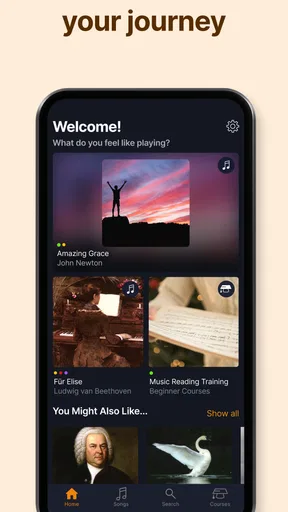
First things first, downloading flowkey: Learn piano is a breeze. Available on both Android and iOS, it won’t take up too much space on your device, so no worries about having to delete your precious photos or other apps. Once installed, you’re greeted with a sleek and intuitive interface that makes navigation feel like a walk in the park.
It’s free to install, with in-app purchases listed from $16.49 to $224.99 per item, so I’d check what access is included before treating it as a long-term household resource. The app has a 4.5 average from around 43,000 ratings and more than a million installs. Those figures suggest it has found an audience, but they don’t tell me whether a particular learner will enjoy its teaching style.
One Keyboard, Different Learners
A shared piano can make learning feel social, but it also creates a small scheduling problem: one person may want to repeat a difficult bar while someone else is ready to play a song. I’d make short turns part of the routine. One learner can work through a lesson while another chooses a piece or listens, then they can swap without turning practice into a contest over who has made more progress.
Because the app begins by asking about skill level, preferences, and goals, each person should approach their own learning choices rather than assume one setup suits everyone. I’d keep expectations separate too: a child exploring a first melody and an adult returning to piano after years away may share the instrument, but they are unlikely to want the same pace or material.
A realistic use is a short session after dinner: one person takes a turn with a lesson, another practices a familiar section, and the keyboard is left ready for the next day. That works best when the household agrees on a quiet time and avoids treating every session as a performance. The app can guide practice, but it cannot settle who gets the bench first.
Setting Up Your Profile
Creating your profile is super straightforward. You’ll answer a few questions about your current skill level, musical preferences, and goals. This helps the app tailor its content specifically for you. I loved how personalized it felt right from the get-go. It’s like having a piano teacher who knows exactly what you need to work on!
On a device that several people use, I’d pause before entering someone else’s preferences into a profile. The questions are useful only if the answers represent the person who will actually practice. If different learners take turns through one setup, recommendations and progress can become less meaningful; where separate profiles are available to your household, using them is the cleaner approach. I would not assume that sharing a tablet automatically means profiles or progress are shared in the way you want.
It’s also worth deciding who handles any purchase decisions before a learner explores paid access. The app is free to download, but its in-app purchases span a wide range. That does not make it a poor fit; it simply means I’d have the person responsible for spending review the options rather than letting a child make a choice on a shared device.
Exploring the Song Library
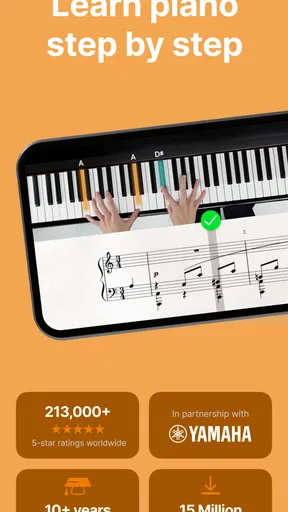
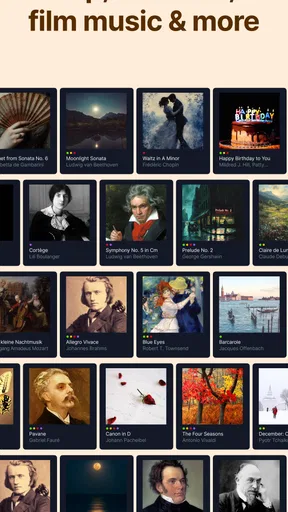
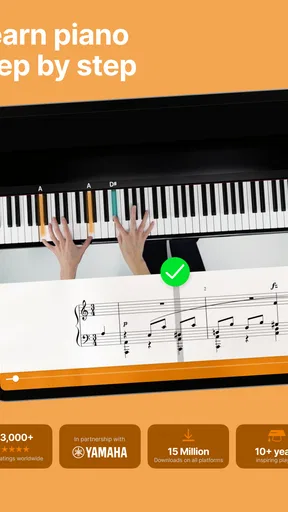
One of the coolest features of flowkey is its extensive song library. Seriously, there’s something for everyone. From classical masterpieces to modern pop hits, it’s all there! What’s even better is the interactive sheet music that follows along as you play. No more flipping pages or losing your spot in the music.
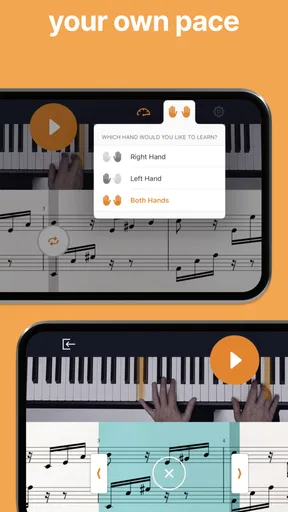
I tried my hand at a few different genres, and the app’s ability to adapt to my pace was impressive. The slow-motion and loop functions were lifesavers when I hit tricky sections. It’s like having a rewind button for your music practice!
There’s a useful trade-off here: familiar songs can make practice feel rewarding, but a learner can also jump into a piece that is far beyond their current ability. I’d use the song library as motivation, then return to lessons when a passage repeatedly stalls. A practical trick is to loop only the troublesome few notes, slow them down, and aim for a clean repeat before returning to the full phrase. Replaying an entire song every time is less focused and can make weak spots harder to notice.
Compared with learning from a printed method book or a video tutorial, the moving score offers a more direct way to keep your place while playing. A book can be better if you want to mark up pages or follow a traditional course without screen prompts; a video can be easier when you mainly want to watch someone demonstrate a song. I find the app’s blend most useful when I want the notes and a visual guide together, rather than a replacement for every learning resource.
Lessons Tailored for You
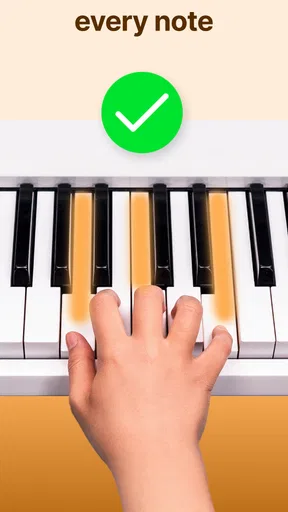
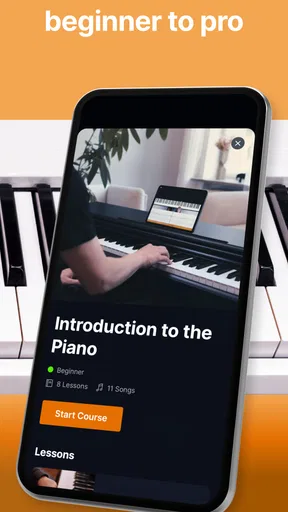
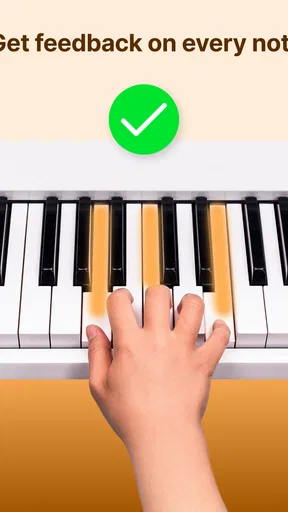
Now, if you’re anything like me, structured learning is key. flowkey offers a variety of lessons ranging from beginner basics to advanced techniques. The step-by-step tutorials are clear and concise, with video demonstrations that you can follow along with at your own pace. The app even listens to you play and gives real-time feedback. Talk about a smart tutor!
One thing that stood out to me was the focus on proper technique. The lessons emphasize not just what to play, but how to play, which is crucial for developing good habits early on.
The listening feedback is helpful as a practice cue, not a guarantee that every aspect of a performance has been judged like it would be by a person in the room. I’d use it to catch notes that need attention, while still checking posture, hand comfort, and rhythm for myself. If a learner feels pain or keeps repeating the same physical tension, pausing and asking a qualified teacher for guidance is wiser than trying to push through because an app says to continue.
This is where I see the biggest difference from a private teacher. Lessons in an app are convenient and can be revisited at the learner’s pace; a teacher can notice an individual habit, answer an unexpected question, and shape the next exercise in person. For someone who needs personal correction or a firm weekly commitment, lessons with a human instructor are likely the better choice. For a beginner who wants to explore independently before committing to that routine, flowkey is a reasonable place to start.
Practice, Practice, Practice
We all know that practice makes perfect, right? flowkey makes it easy to track your progress with its built-in practice reminders and achievement badges. It’s like having a little cheerleader in your pocket, motivating you to keep going.
I found the practice mode particularly useful. It allows you to isolate specific sections of a piece and work on them until you’re comfortable. This focus on repetition helps solidify muscle memory, which is essential for any budding pianist.
For a shared household, reminders and badges can be encouraging, but I wouldn’t use them to compare learners. A more useful routine is to decide on one small target before sitting down: for example, getting a short section smoother or revisiting a lesson step. That keeps practice manageable on a busy evening and makes progress feel personal rather than like a scoreboard. If reminders start to feel like pressure, a household can simply agree on its own routine instead.
Before choosing the app, consider the instrument and the kind of guidance the learner wants. The app is aimed at piano or keyboard learning, so it makes most sense when there is an instrument available to practice on. Someone who wants only music theory, a teacher-led curriculum, or feedback on expressive performance may be better served by a book, a dedicated theory resource, or in-person lessons. It is also not a way to avoid regular practice: the tools can make focused work easier, but they cannot create the time or attention for you.
Age, Trust, and Household Expectations
The app is rated for Everyone, which makes it broadly suitable from an age-rating perspective, but I’d still decide together how a child will use it. A parent can help choose an appropriate learning goal, set sensible practice times, and handle any purchase decisions. That is ordinary household supervision, not a reason to assume the app includes special family controls.
For younger learners, I’d sit nearby at first—not to hover over every note, but to help them choose a manageable lesson and understand that mistakes are part of practice. Older beginners may prefer to explore independently and use the lessons as a private routine. Either way, the person practicing should be the one whose level and preferences shape the learning experience.
flowkey’s current version is 2.103.0, and it requires iOS 11 or later. The app was released on January 26, 2016, so it has been around for years, but I’d still check that a device can run the current version before building a shared routine around it. The developer is flowkey, and the Everyone age rating is a helpful starting point for households, not a substitute for an adult’s judgement about a particular child.
Final Thoughts
All in all, flowkey: Learn piano is a fantastic tool for anyone looking to learn piano in a flexible, engaging way. The app’s intuitive design, extensive library, and personalized lessons make it a top choice for beginners and seasoned players alike. Whether you want to impress at your next family gathering or simply enjoy the therapeutic benefits of playing music, flowkey has got you covered.
I’d recommend it most to a beginner who wants structured guidance, likes learning through songs, and can make room for regular practice. It may be less satisfying for someone who needs detailed personal coaching, dislikes learning from a screen, or expects an app to replace a teacher’s individual attention. For a household, the strongest fit is a shared keyboard with learners who can take turns and keep their goals distinct.
So, if you’re ready to embark on your musical journey, give flowkey a try. You might just find yourself falling in love with the piano all over again. Happy playing! 🎶
Verdict
Strengths of flowkey: Learn piano
- Easy-to-follow lessons for beginners.
- Wide range of songs to choose from.
- Interactive feedback on your playing.
- Compatible with various digital pianos.
- Supports multiple learning modes.
Limitations of flowkey: Learn piano
- Requires internet for full functionality.
- Limited free content available.
- May lag on older devices.
- Subscription can be pricey.
- Sheet music view is small on phones.
Similar Picks in This Category
View All
Duolingo: Language Lessons
Duolingo4.7

Google Classroom
Google LLC2.8

Unacademy: Learn & Crack Exams
Unacademy3.2

Bible App for Kids
Life.Church4.4

Cake - Learn English & Korean
Cake Corp.4.7

Brainly: AI Homework Helper
Brainly4.5
Frequently Asked Questions
What is flowkey and how does it work?
Flowkey is an interactive app designed to teach users how to play the piano. It offers a wide range of songs and step-by-step tutorials suitable for beginners and advanced players. Users can connect their piano or keyboard to the app, which listens to their playing and provides real-time feedback to help improve their skills.
Is flowkey suitable for beginners?
Yes, flowkey is highly suitable for beginners. It includes a variety of beginner-friendly lessons and tutorials that cover basic techniques, reading sheet music, and playing simple songs. The app's guided learning path helps newcomers gradually build their skills at their own pace, ensuring a comfortable learning experience.
What types of songs are available on flowkey?
Flowkey offers a diverse library of songs across various genres, including classical, pop, rock, and jazz. Users can choose from a wide selection of pieces to match their skill level, from simple tunes for beginners to complex compositions for advanced players. New songs are regularly added to keep the repertoire fresh and engaging.
Can I use flowkey with any piano or keyboard?
Flowkey is compatible with both acoustic and digital pianos or keyboards. You can connect your instrument to the app via MIDI or simply use the device’s microphone to listen to your playing. This flexibility ensures that users can learn effectively using whichever instrument they have available.
Is an internet connection required to use flowkey?
While an internet connection is required to download the app and access new content, flowkey allows users to download songs and lessons for offline use. This feature is particularly useful for practicing in locations without reliable internet access, ensuring continuous learning without interruptions.
